The patient reacts to every decision.Before your students meet a real one.
Bedside puts a filmed patient, a live monitor and the clock in front of every student. Order the right test and he settles. Give the wrong drug and his blood pressure falls in front of you. 371 cases, ready to run inside your own LMS.
Bedside in two minutes.
Meet a patient in her pre-brief, watch her respond to treatment, and see the results your LMS receives. Captions are built in, so it works with the sound off.
One case. Every way you teach.
Alone in the library, around a tutor's laptop, across a computer lab or on the big screen in a skills lab. The same case fits every setting your faculty already teach in. Press See the screen on any scene to see the Bedside screen in it.
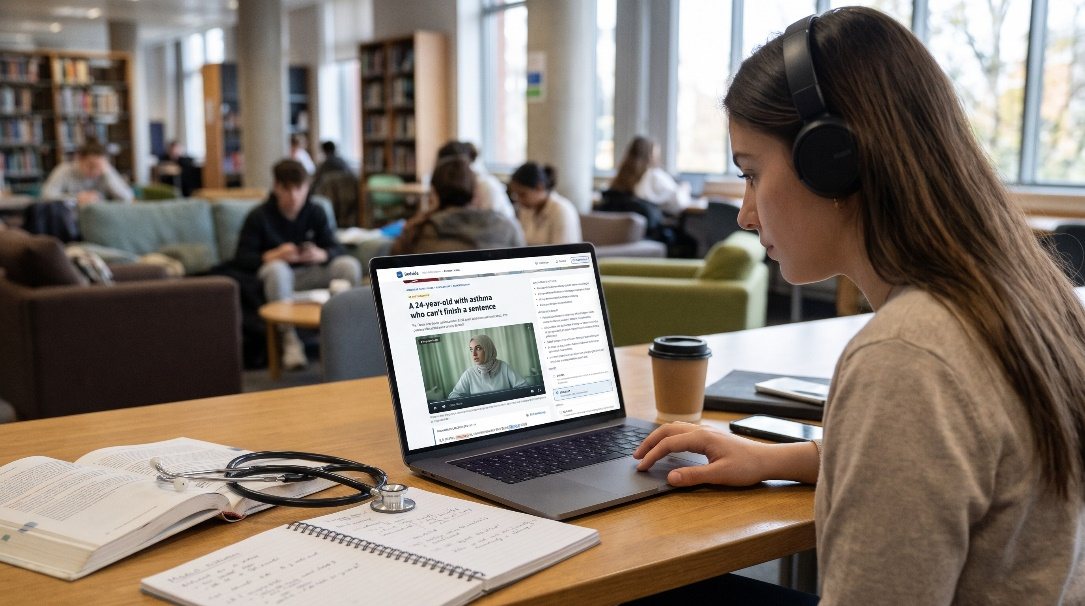
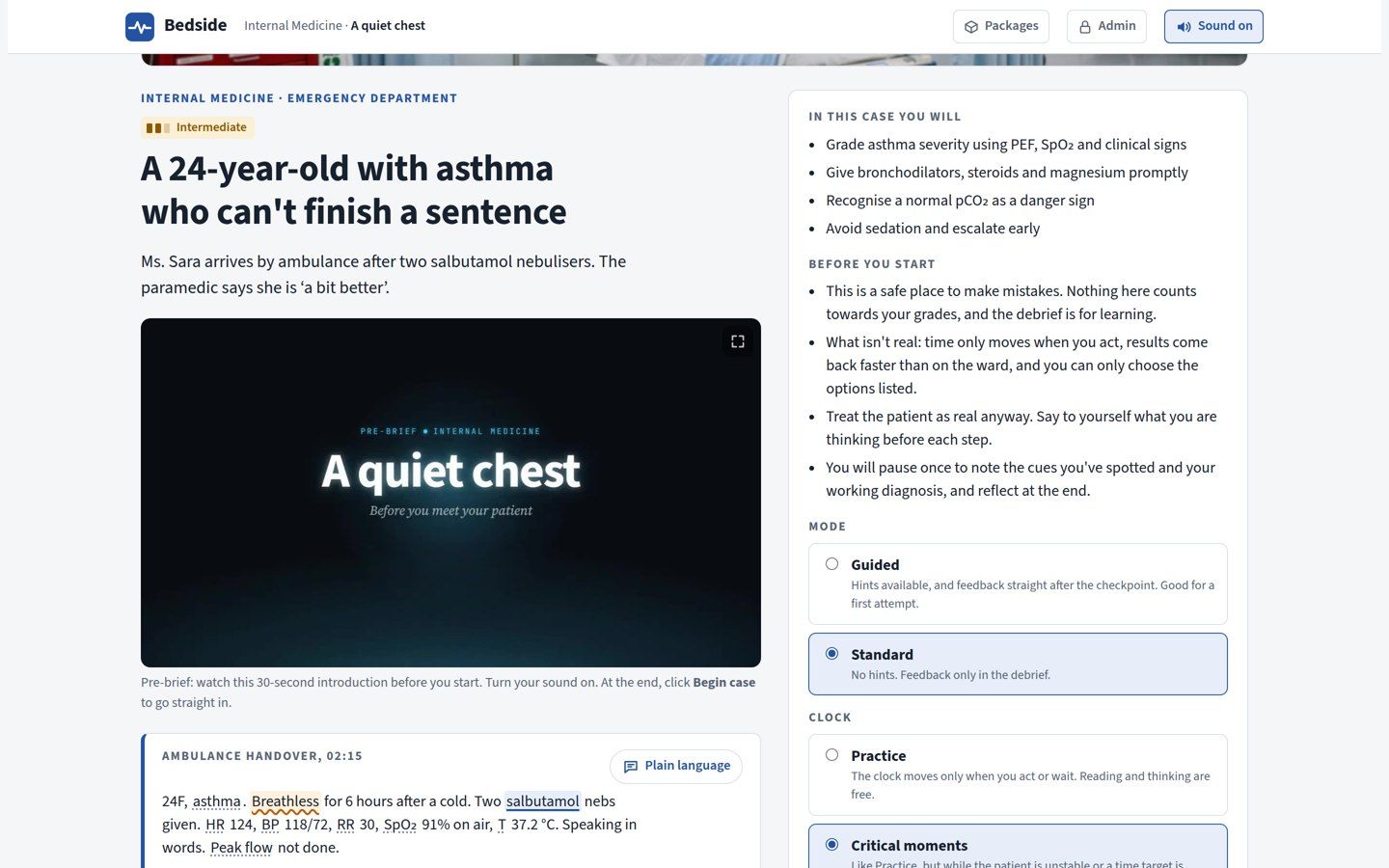
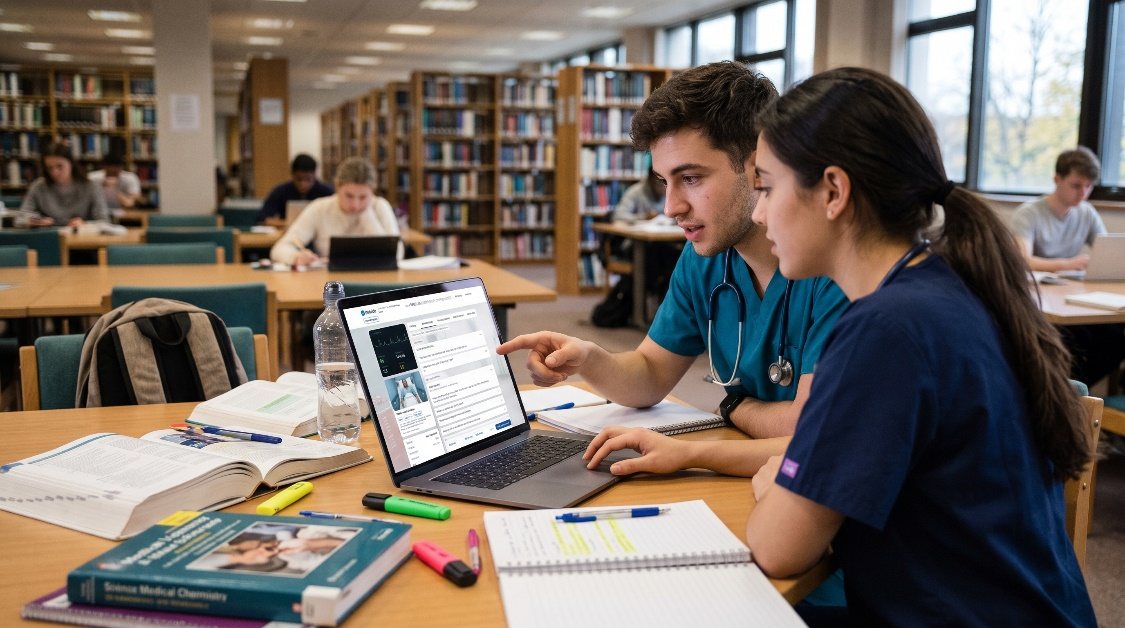
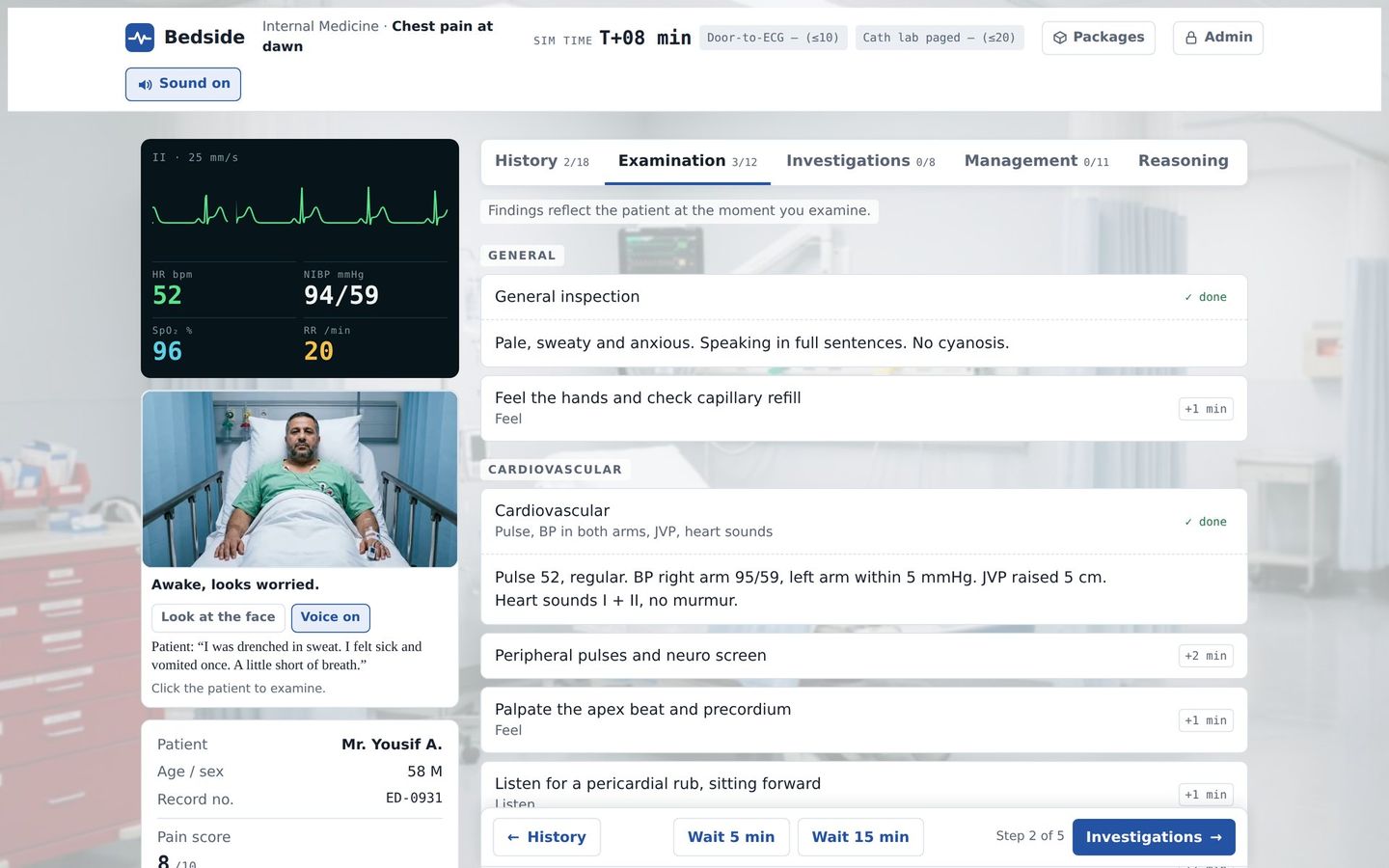
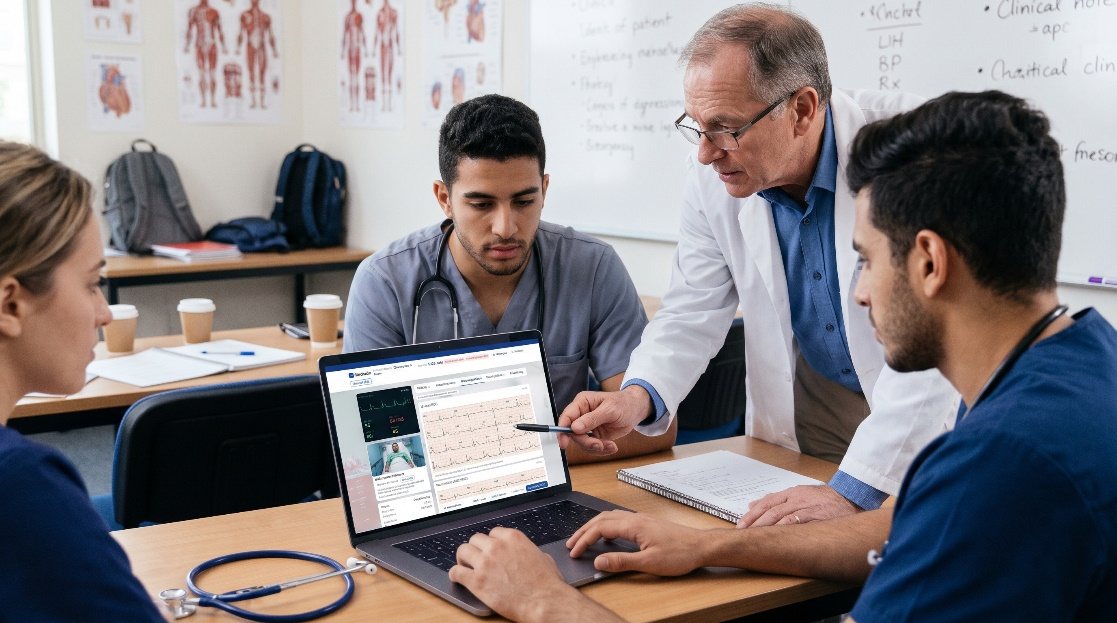
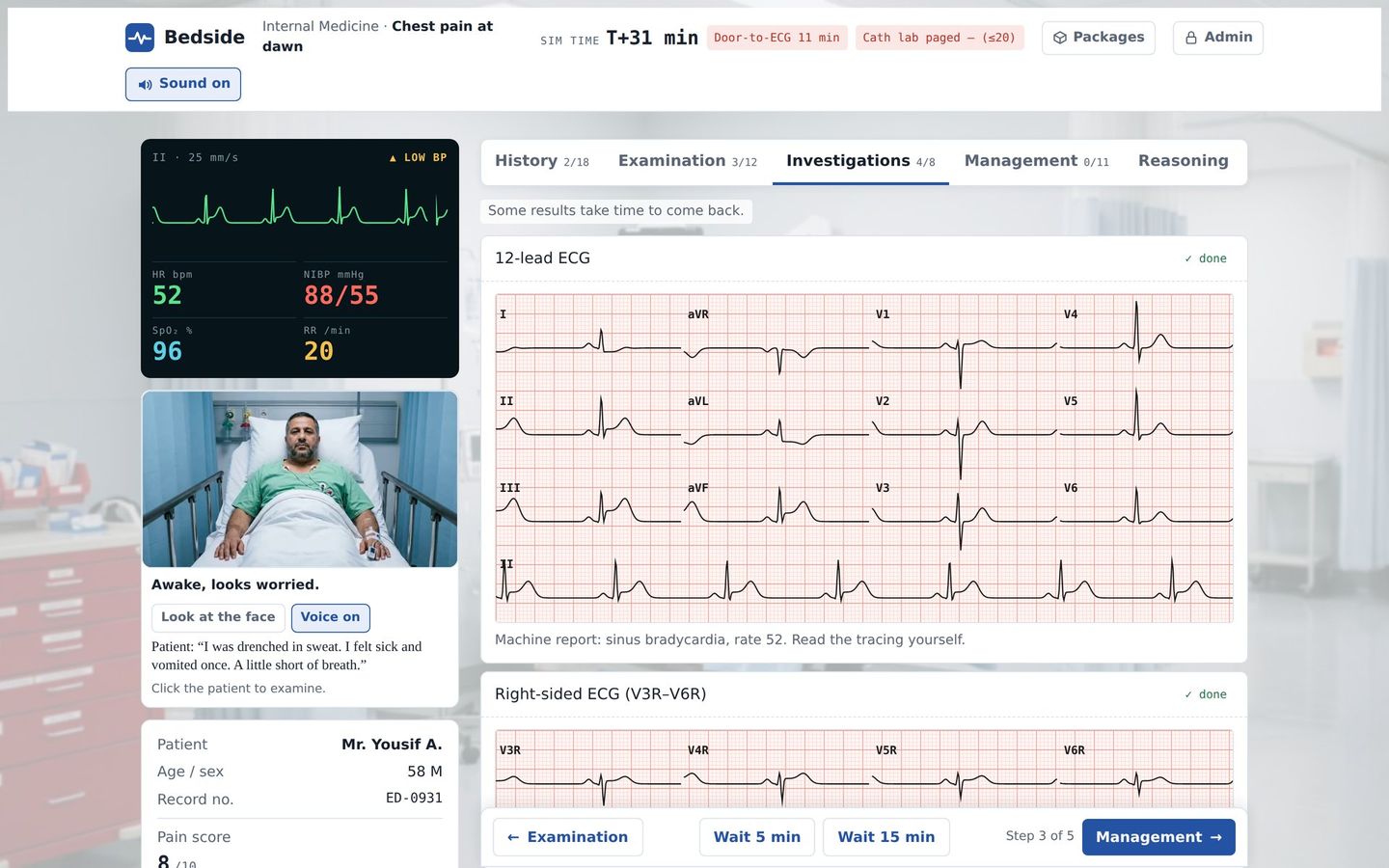
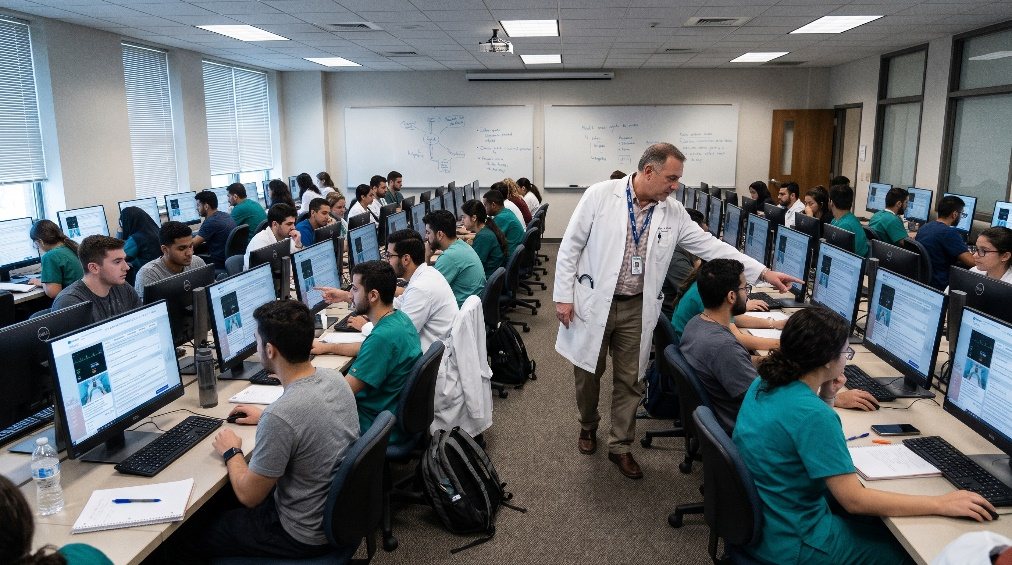
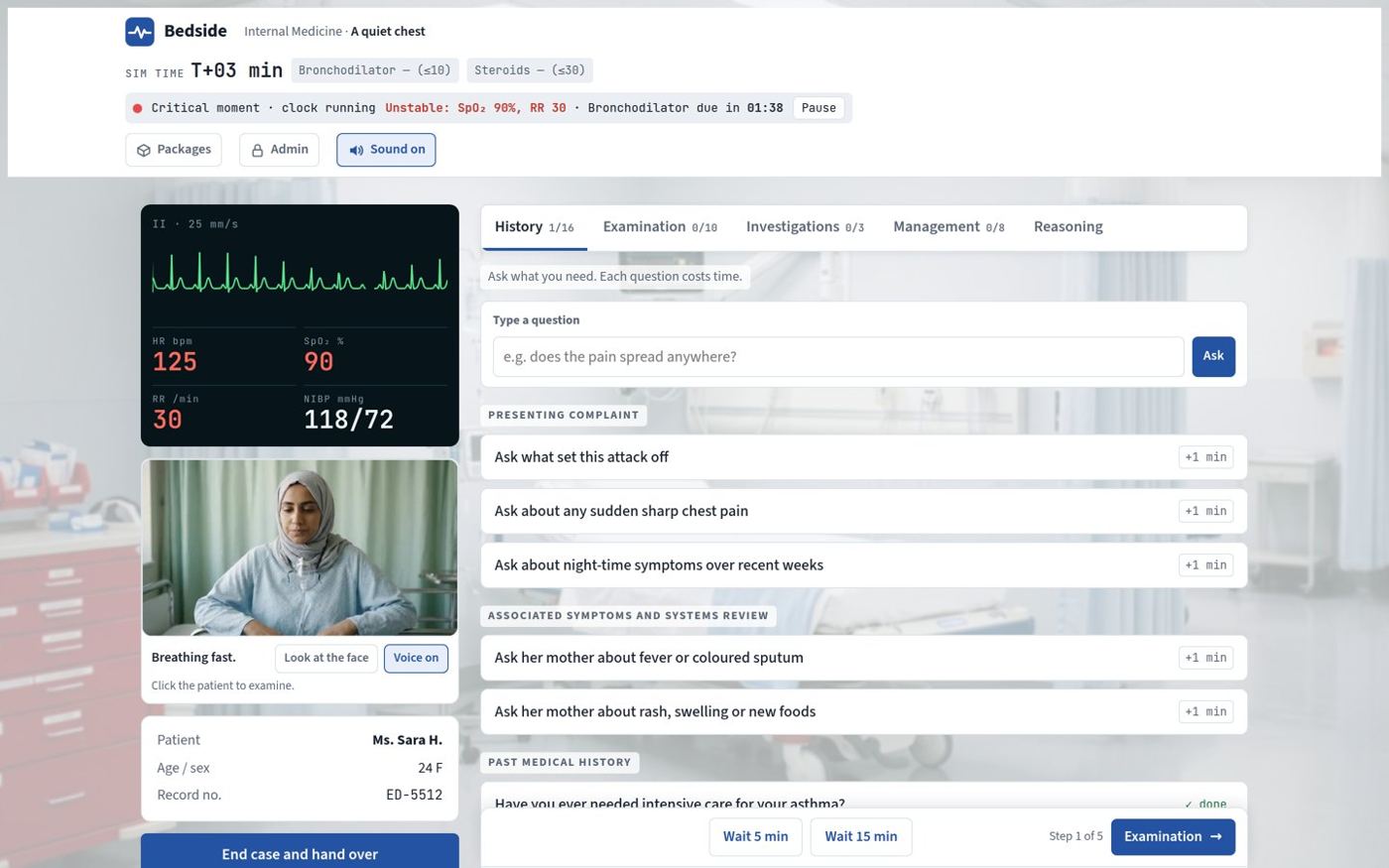
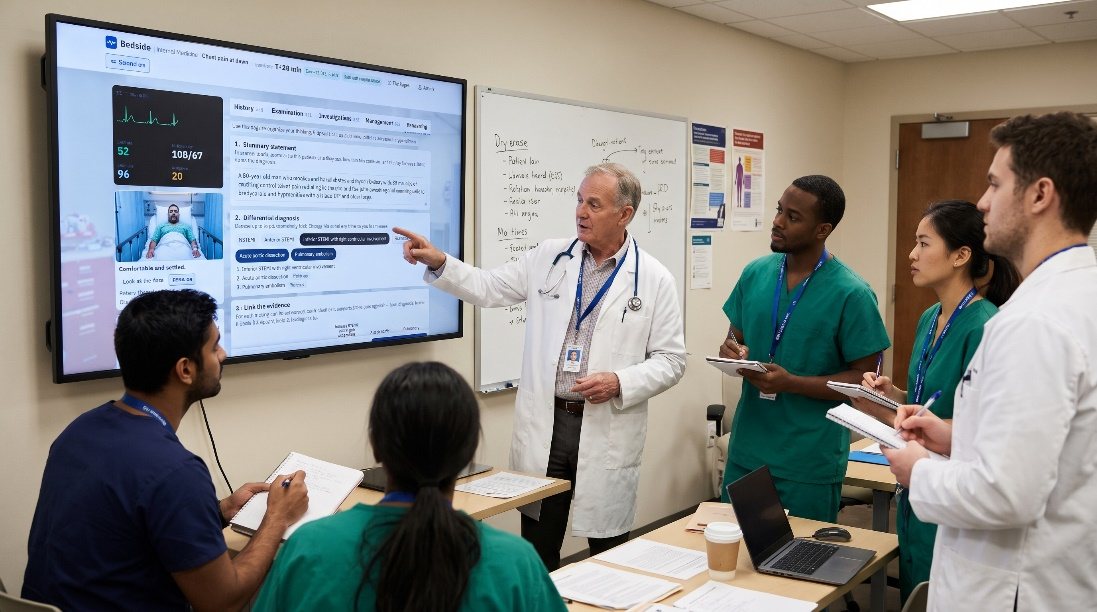
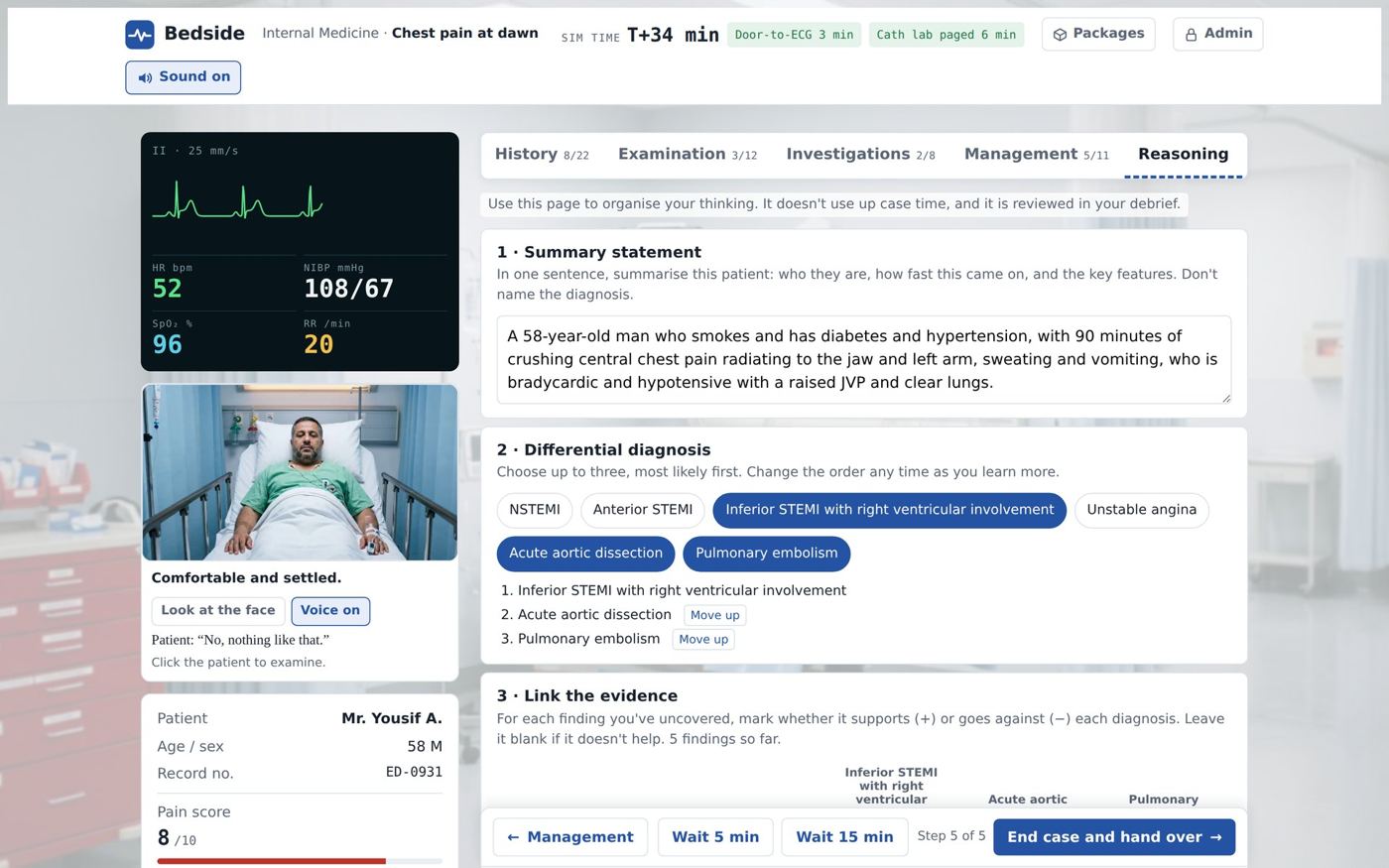
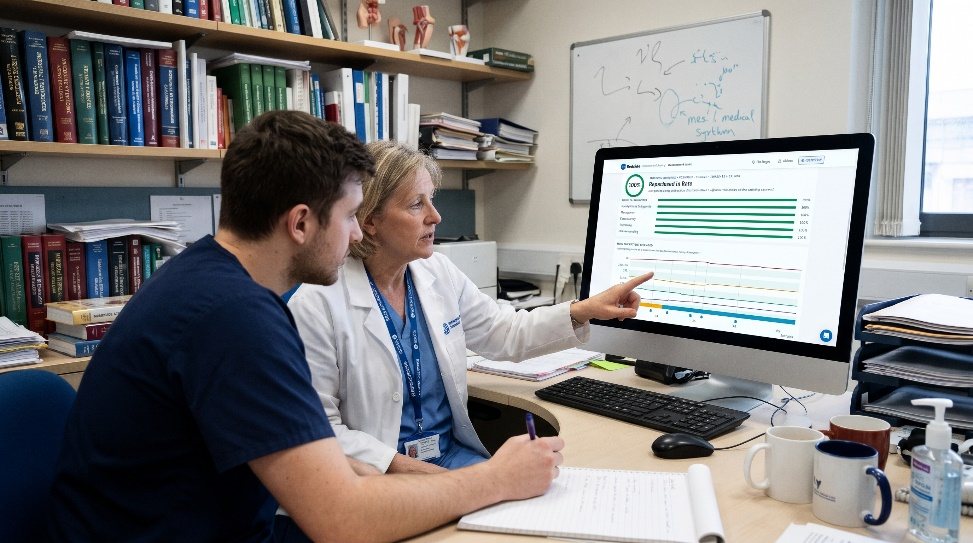
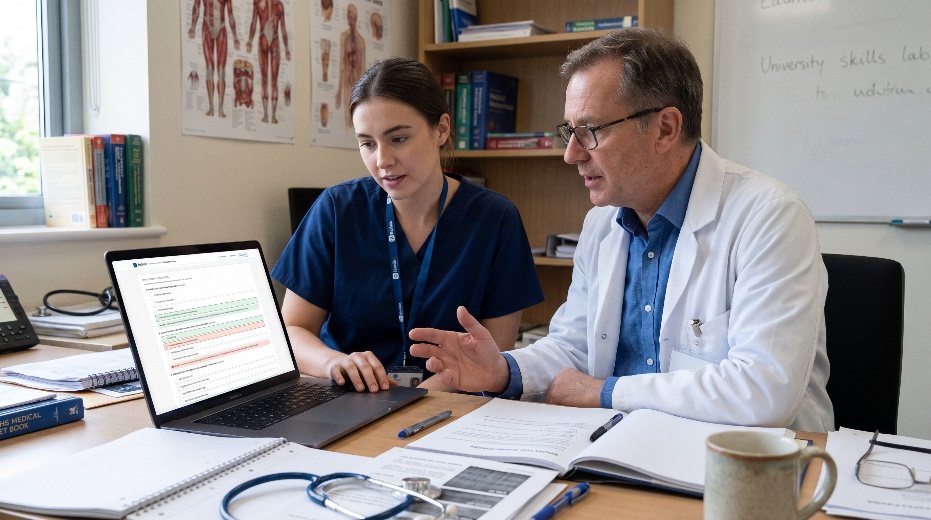
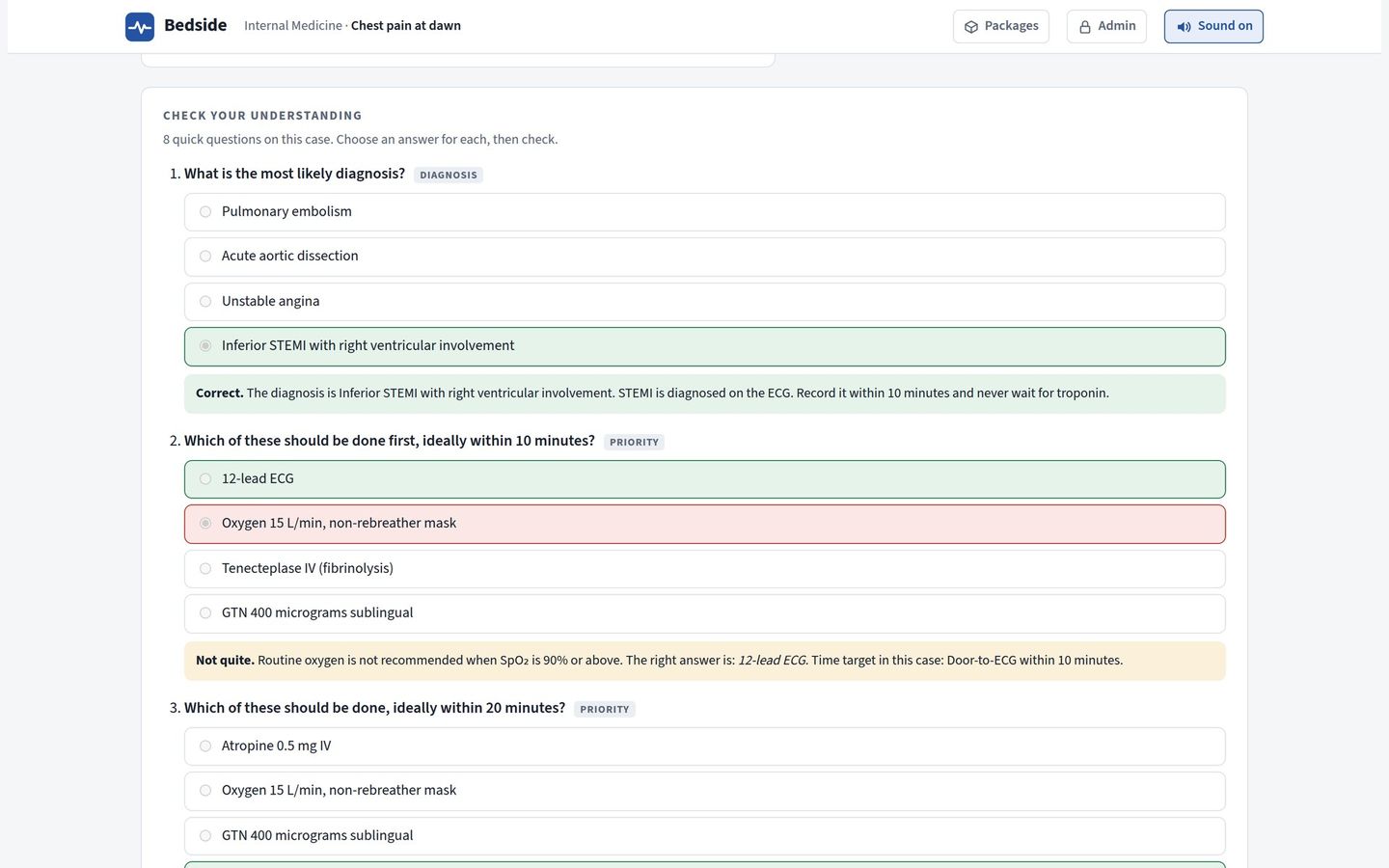
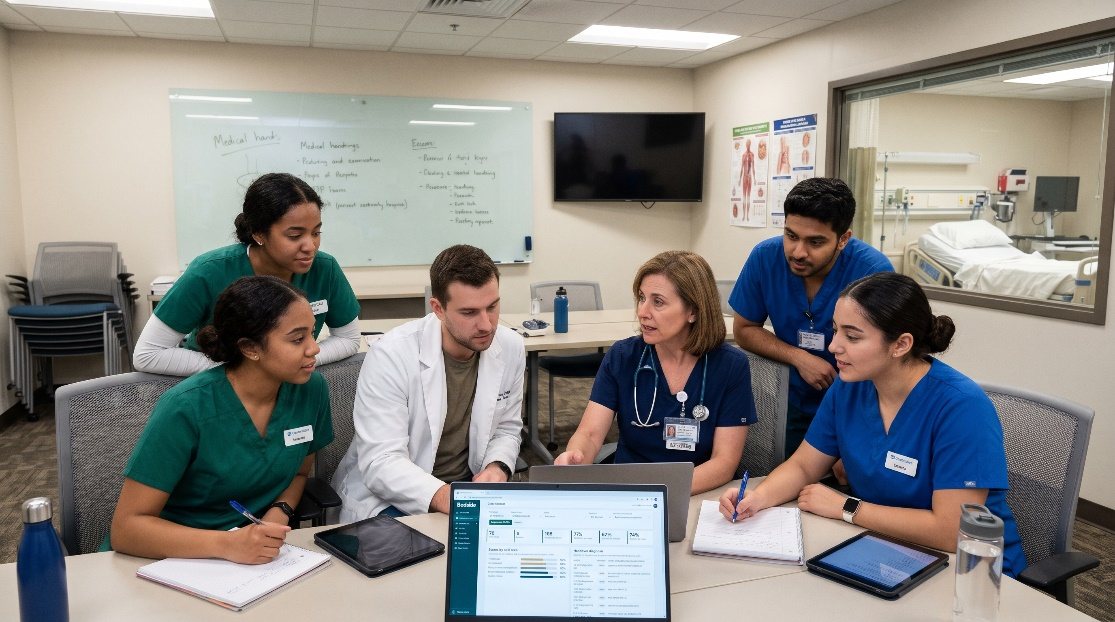
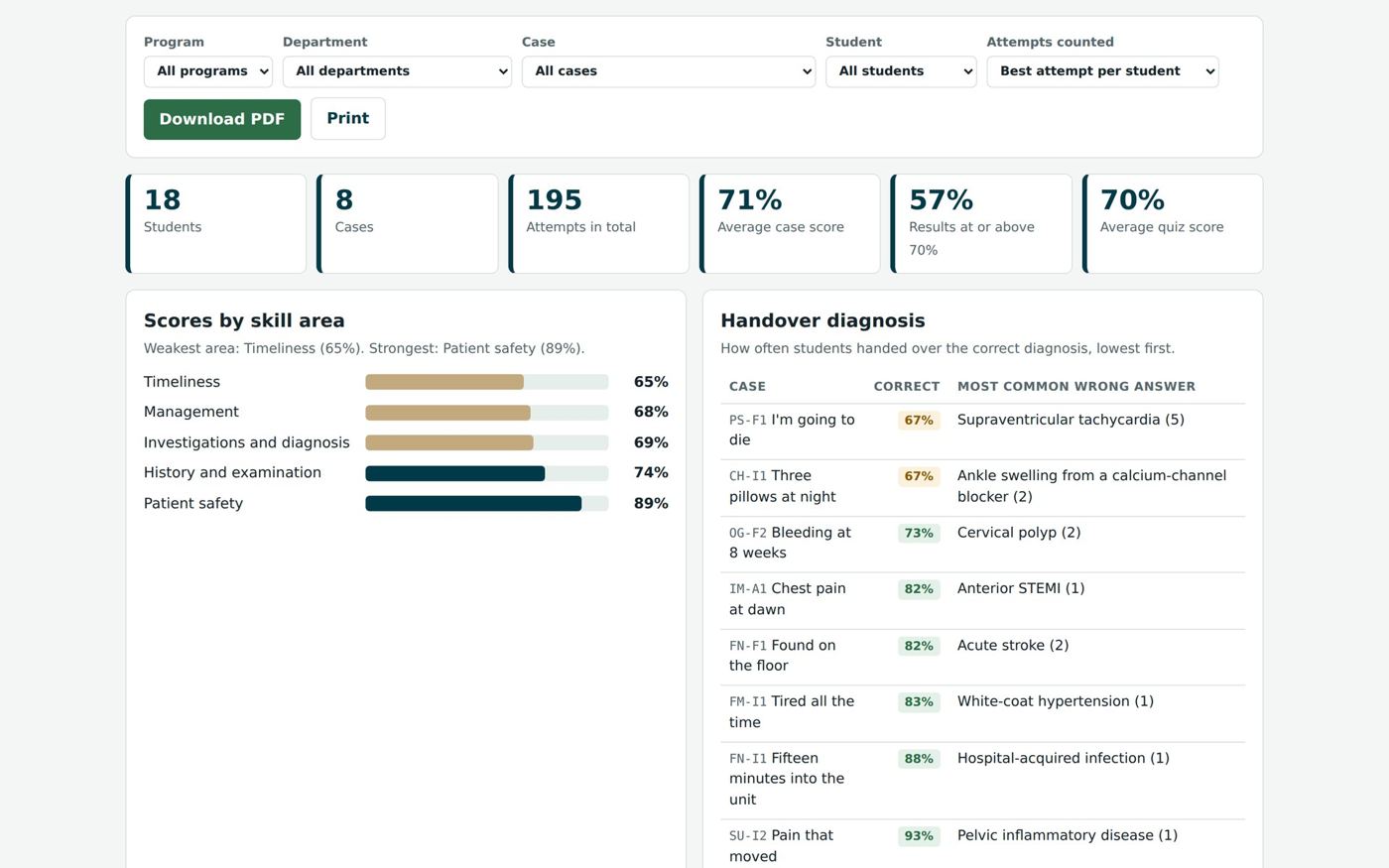
Before, during and after: every screen above ships with Bedside today, in your LMS, in the browser and in the Windows app.
Thirty seconds that put the student in the room.
Every video patient now opens with a cinematic pre-brief: the setting, the handover, the first vital signs and what the student must achieve, over the sound of the patient's own heartbeat. It ends on one button, Begin case, and the student walks straight in.
Bleeding after birth
Mrs. Charlotte M., 29, delivered a 4.1 kg boy forty minutes ago. The midwife has pulled the emergency bell. The pre-brief gives the student everything they need before they open the door.
Each pre-brief is built from the case itself, so the handover, the numbers and the objectives always match what the student will find. It works in the LMS, in the browser and in the Windows app.
Real faces. Real reactions.
Every video patient is filmed in each state the case can reach: resting, in pain, breathing fast, pale, drowsy, unresponsive and recovering. Bedside switches between them as the vital signs change, so the student reads the patient, not just the numbers.
Click a patient to see the case go wrong.
Two students. One patient. One handover.
Care is only as safe as the handover. A nursing student assesses the patient and hands over with SBAR. A medical student can act only on what reaches them, then sends the plan back to be checked. Nurse to doctor, and nurse to nurse at the change of shift. The report then shows what was handed over, what was lost on the way and what happened to the patient because of it.

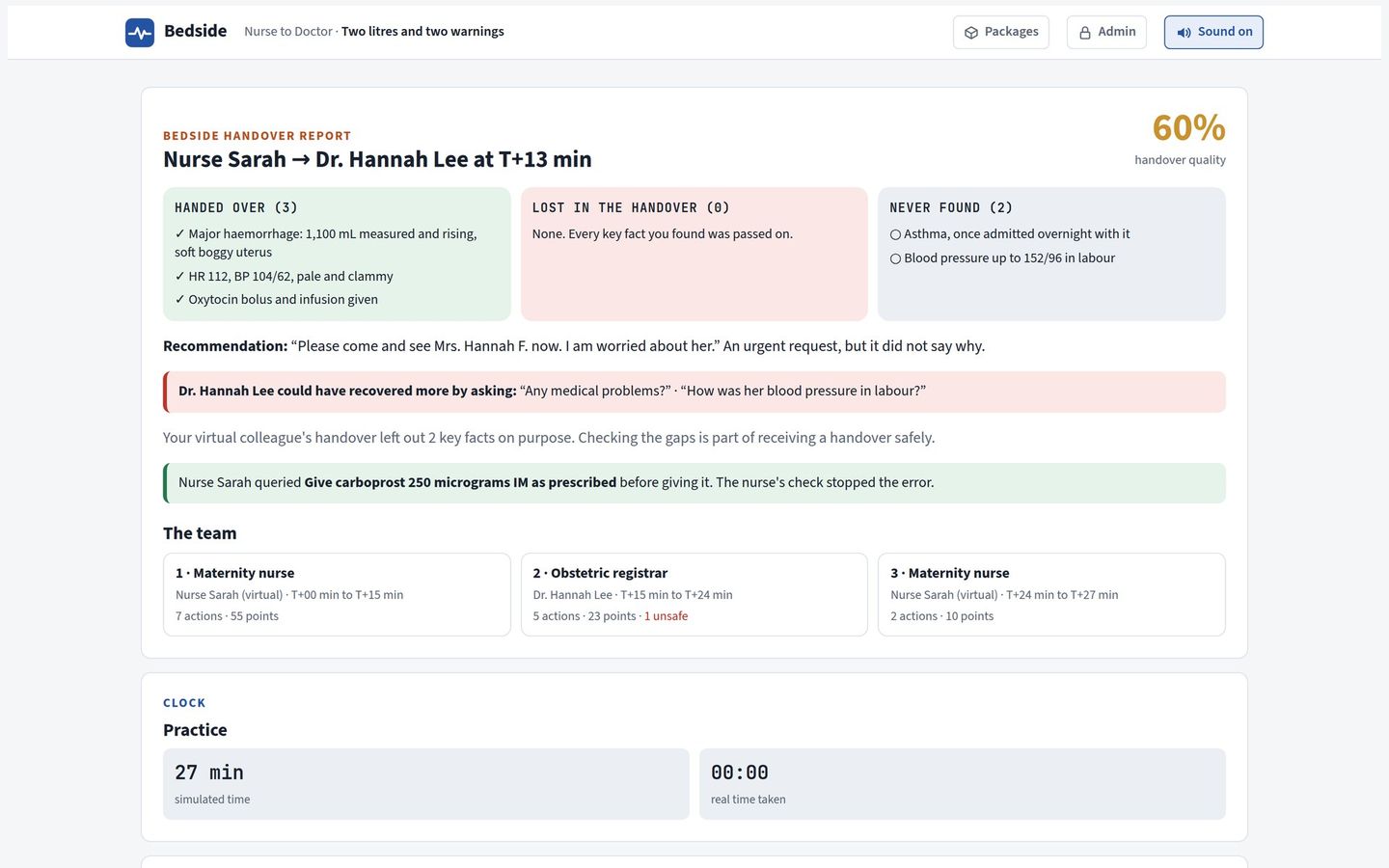
- AssessThe first nurse finds what matters at the bedside.
- Hand overSBAR to the doctor, or ISBAR at the end of a shift. Only what is handed over reaches the next person.
- Act on what reaches youThe receiver sees only the handover, asks questions, examines and writes the plan.
- Close the loopThe plan comes back to the nurse, who checks every order before giving it.
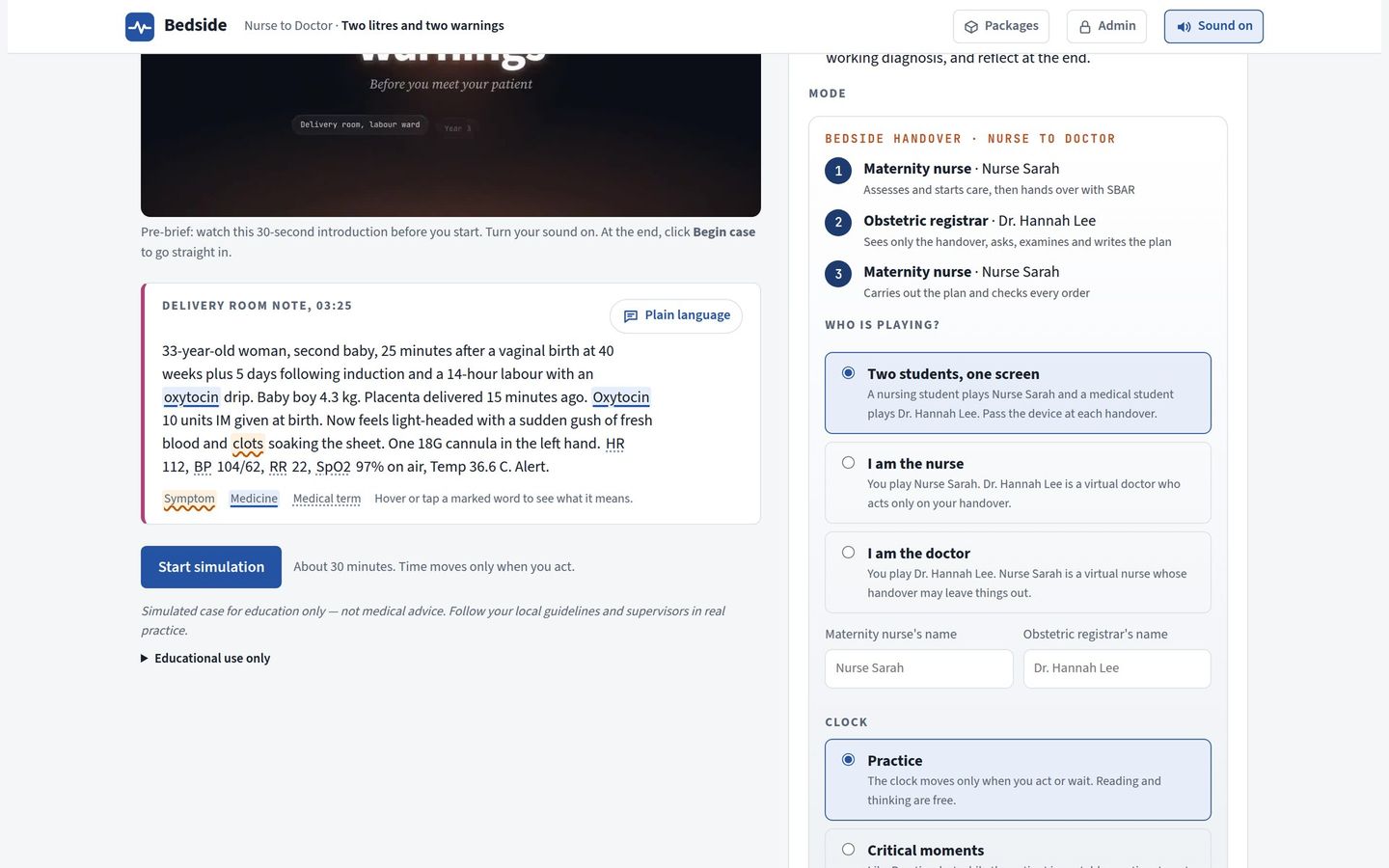
A nursing student and a medical student pass one device at each handover. Each plays their own profession.
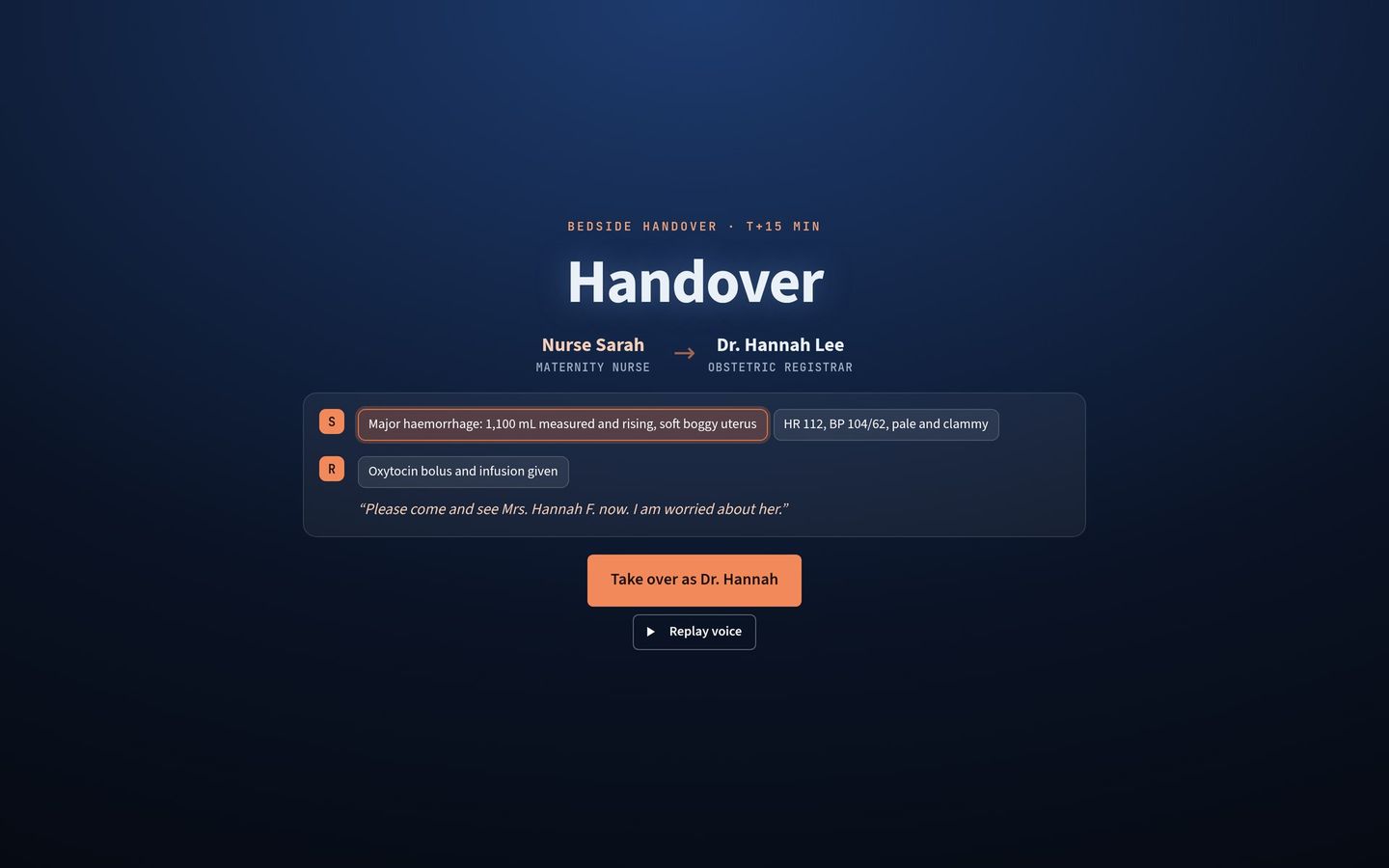
Students practising alone are paired with a virtual nurse or doctor who appears on screen and speaks in their own voice. They leave things out on purpose, so students learn to ask.
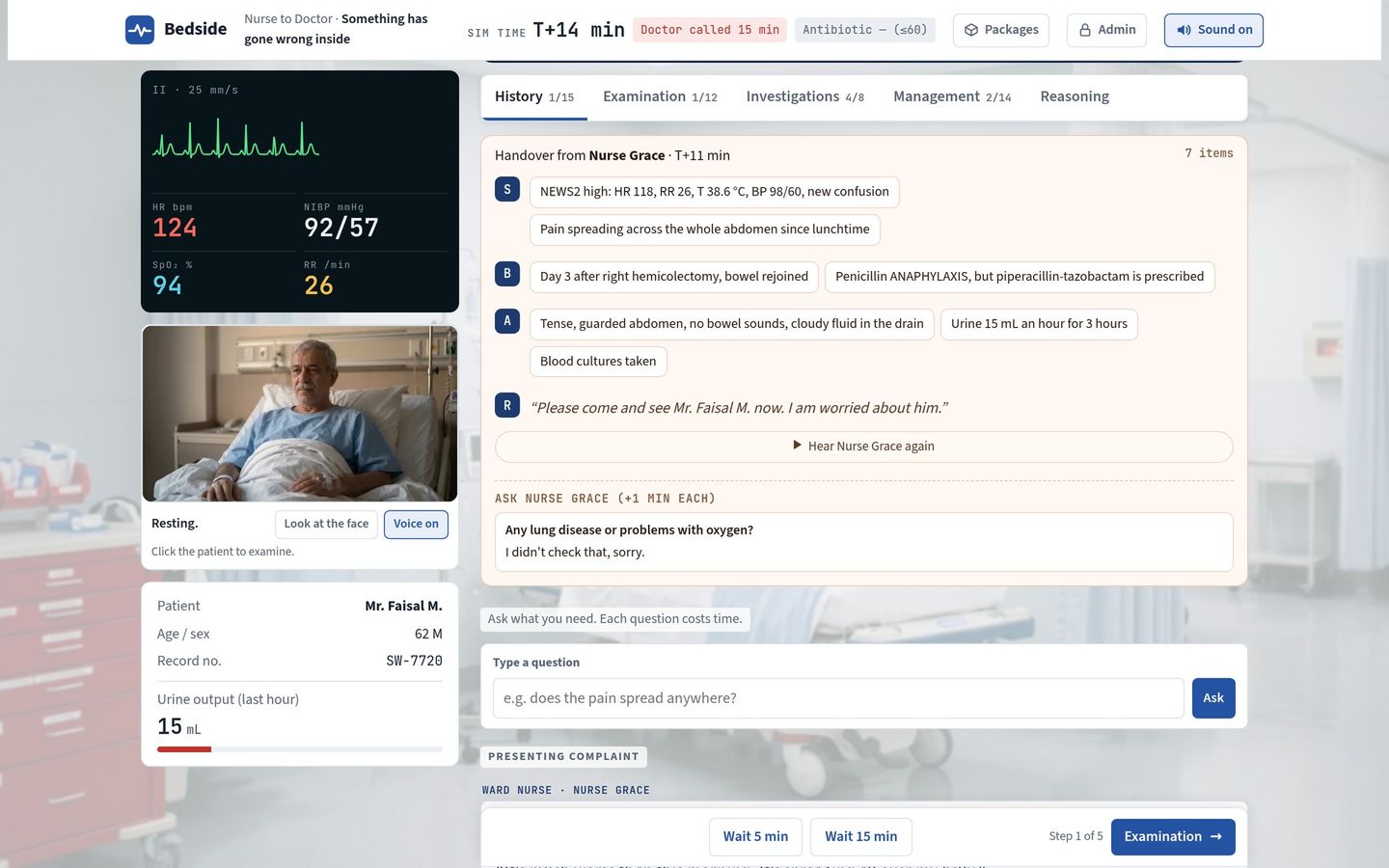
The receiver can question the person who handed over. Each question costs time, and if they never checked, they say so.
The whole encounter, from handover to debrief.
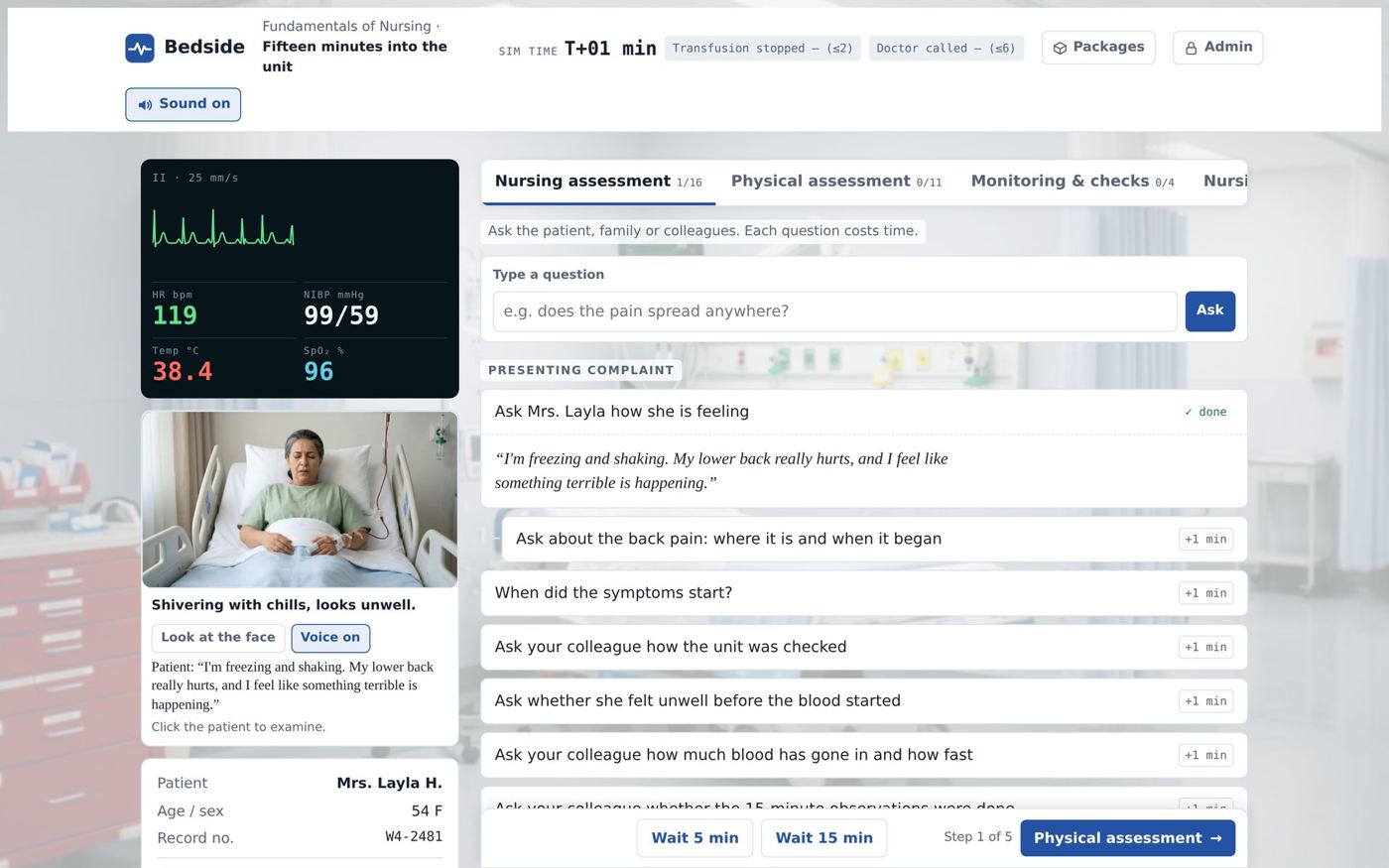
Each case follows the order of a real clinical encounter. Every question asked and every test ordered costs time, and the patient keeps changing while the student thinks.
A clock that runs like a real shift.
Your institution decides how much pressure students feel, and how fast simulated time runs: 1, 2 or 4 simulated minutes for every real minute.
Students show how they think, not only what they chose.
- Key findings and differential. A checkpoint pauses the case before investigations.
- Linked evidence. Each finding is marked as supporting or arguing against a diagnosis.
- Purpose of each test. Students say which diagnosis a test is meant to confirm or rule out.
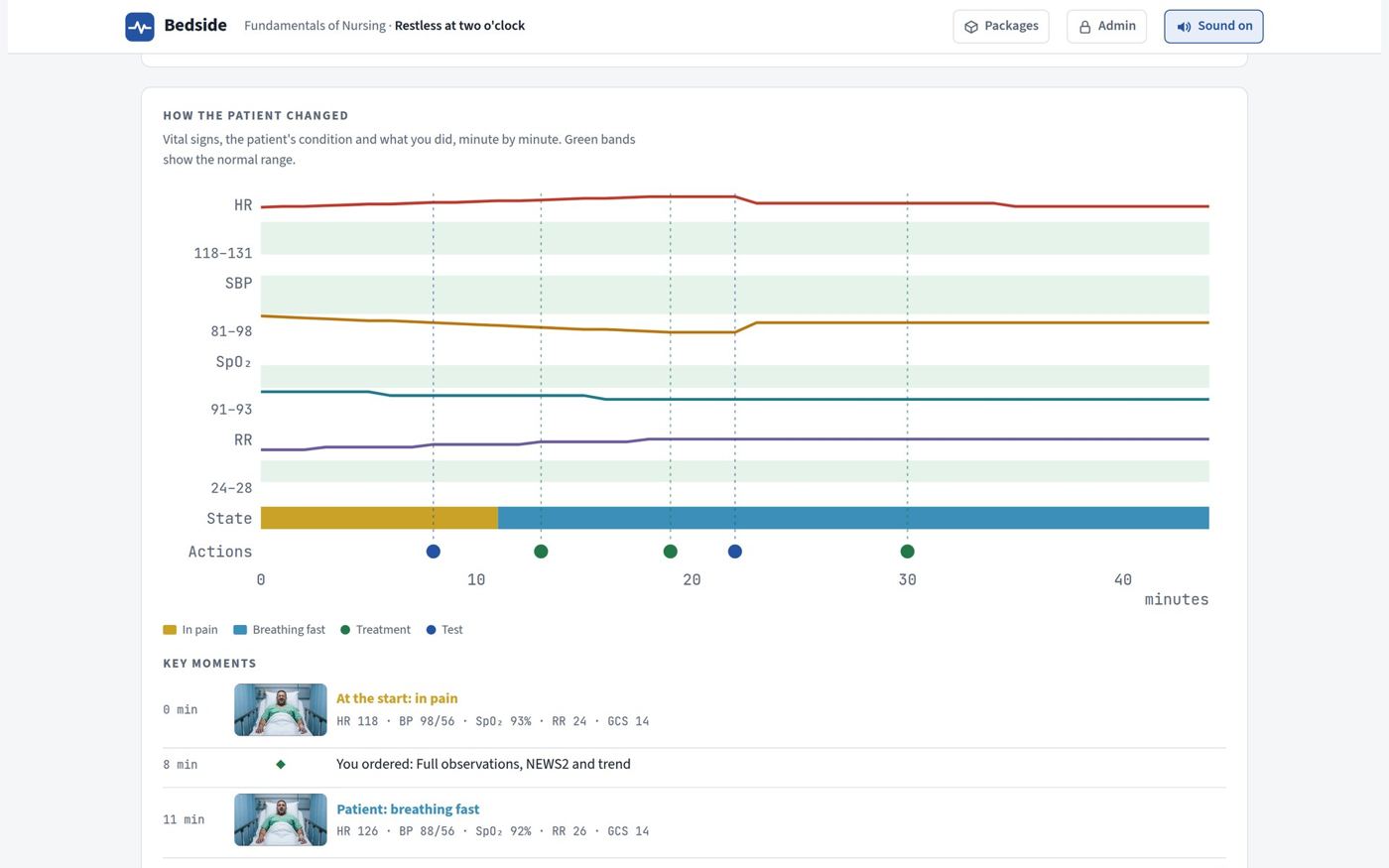
See exactly when the patient turned.
- Vital signs over time against the normal range, minute by minute.
- Every decision on the timeline, with harmful choices marked where they happened.
- Expert reasoning side by side with the student's own.
175 Nursing cases in seven departments.
- Nursing scope of practice: assessment, monitoring, escalation with SBAR and safe medicine administration.
- Early warning scores: NEWS2 and the paediatric and maternity equivalents.
- Departments: Fundamentals, Medical-Surgical, Maternity, Paediatric, Mental Health, Community and Critical Care.
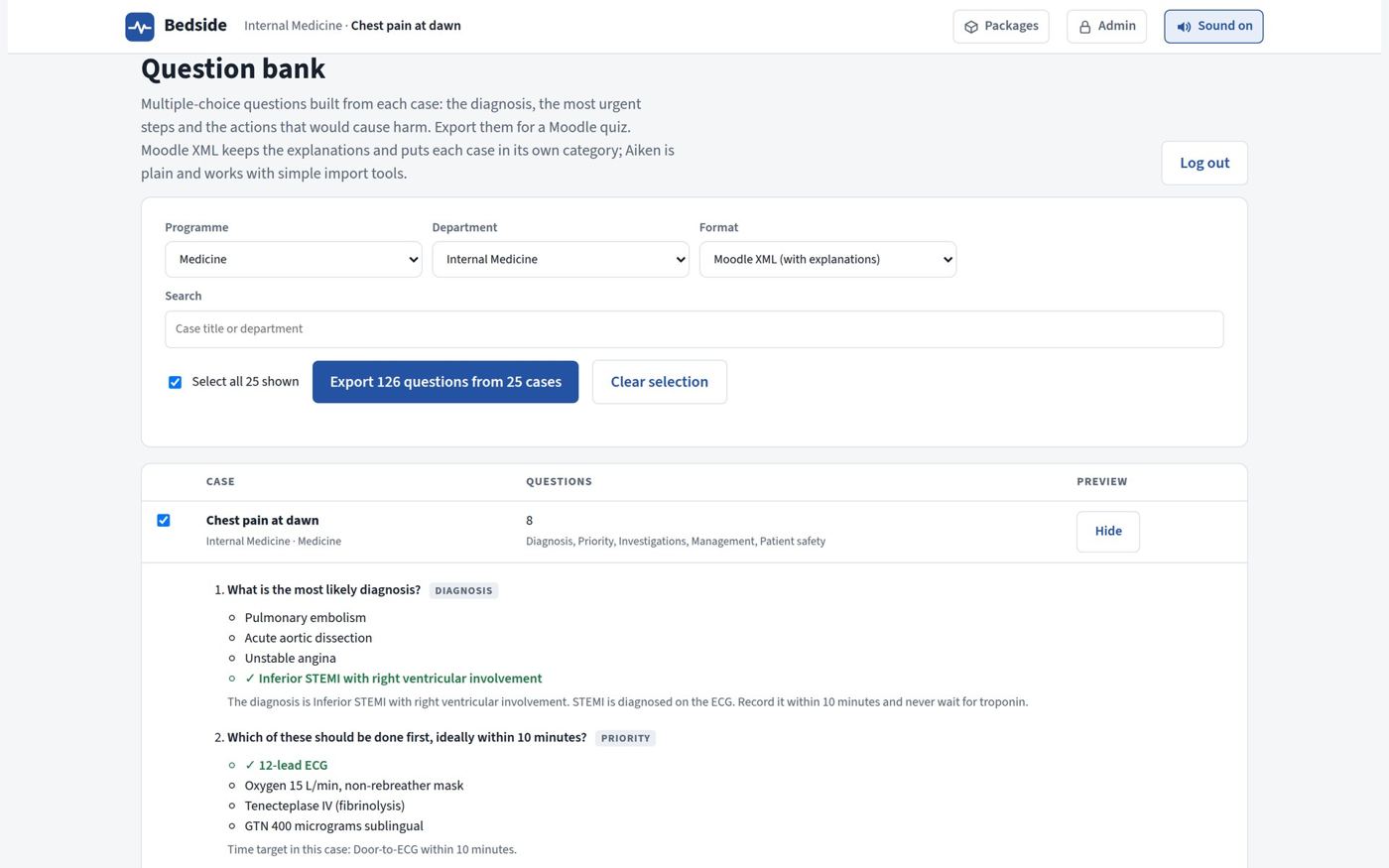
1,600 questions, ready for your question bank.
- A quiz after every case on the diagnosis, the urgent risk, the right management and the actions to avoid.
- Every answer explained, so students learn from the ones they miss.
- Export to Moodle as Moodle XML or Aiken, in one click.
Know which students need help, and with what.
- Weakest skill areas across a class, programme or department.
- Steps most often missed and the unsafe options students chose.
- Each student's profile, built from the scores your LMS already records.
Runs inside the LMS you already have.
No new platform, no extra logins, no student data leaving your system.
SCORM 1.2Inside your LMS
Each case is one SCORM package. Upload it to Moodle, Blackboard, Canvas or D2L Brightspace. Scores, pass or fail, time and every answer go straight to your gradebook.
BROWSEROnline
Students open Bedside from a link on a laptop, tablet or phone. Nothing to install, available all day, every day.
WINDOWSWindows app
Installed in a skills lab or classroom, it works with no internet connection. Updates arrive as small downloads.
What you get here that you won't find elsewhere.
| Bedside | Typical virtual patient platforms | |
|---|---|---|
| Where it runs | ✓Inside your own LMS, online, or offline on Windows | On the vendor's own platform, with separate logins |
| The patient | ✓Filmed video that changes with the vital signs | Animated or 3D characters |
| Before the case | ✓A 30-second pre-brief video for every video patient | A text briefing |
| Who pays | ✓One licence per college, unlimited students | Per student, per seat, or capped user numbers |
| What you buy | ✓Pick individual cases by department and level | Fixed courses or packs |
| Programmes | ✓Medicine and Nursing in one library | Often one profession only |
| Assessment | ✓1,600 MCQs that export to Moodle | Scores inside the vendor's platform |
| Before you buy | ✓A review PDF of the exact cases you choose | A sales demonstration |
Choose the cases that fit your curriculum.
Pick cases by programme, department and level, and see the case review PDF before you decide. Every package is one yearly licence for the whole college.
One department or one course.
A full year group.
Most of a programme.
Medicine and Nursing, every department, and every new case we add.
See Bedside with your own faculty.
We'll run a live case with your team, show the pre-briefs and the class reports, and send a review PDF of the cases that match your courses.